
How to calculate the limiting reagent and percentage yield
Tutorial · macOS and Windows
ChemPencil's Stoichiometry window reads the reactants and products from your drawn scheme, takes their molecular weights from the structures, and does the arithmetic: moles, equivalents, the limiting reagent, the theoretical yield of each product and the percentage yield.
Set up the calculation
- Draw the reaction scheme, with the reactants to the left of the reaction arrow and the products to the right.
- Open (Mac) or (Windows). Every component is listed with its role and molecular weight.
- Check the coefficients and change any that are not 1.
- Enter the mass of each reactant in grams. On Windows you can enter volume and density for liquids instead.
- For a product, enter the mass you isolated to get the percentage yield.
Worked example: ethyl acetate
Acetic acid and ethanol give ethyl acetate and water. With 6.0 g of acetic acid, 5.0 g of ethanol and 6.6 g of ethyl acetate isolated:
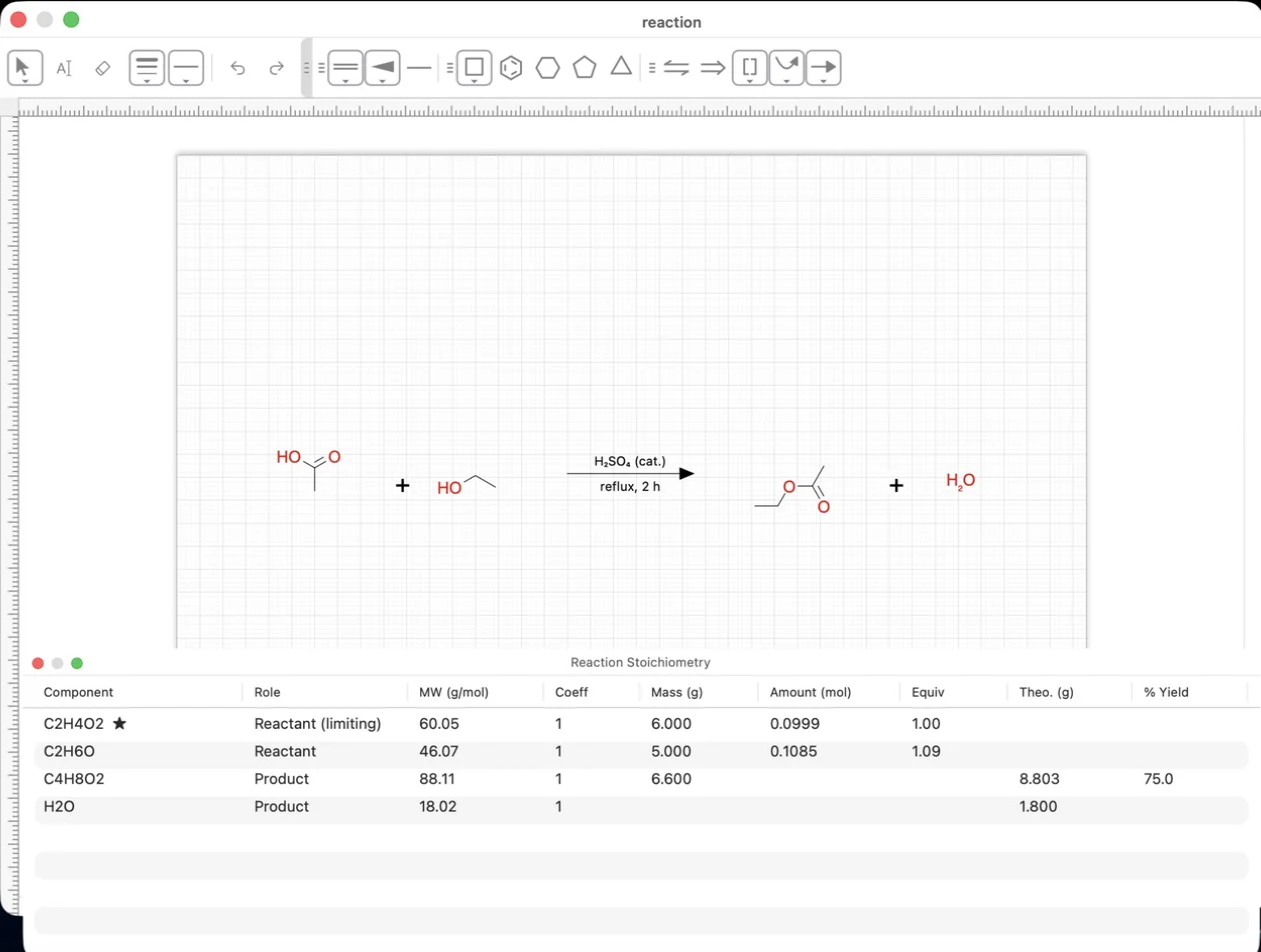
Acetic acid gives fewer moles (0.0999 mol against 0.1085 mol), so it is the limiting reagent and ethanol is present at 1.09 equivalents. The theoretical yield of ethyl acetate is 0.0999 mol × 88.11 g/mol = 8.80 g, and 6.6 g isolated is a 75 % yield.
Try it yourself. ChemPencil runs on macOS 12 and later and on Windows 10 and 11.