
How to convert an IUPAC name to a structure, and a structure to a name
Tutorial · macOS and Windows
ChemPencil names structures and draws structures from names, offline and instantly. It covers the families you meet most in teaching and everyday work: alkanes, alcohols, amines, halides, aldehydes, ketones, carboxylic acids, esters, ethers and acid chlorides, common ring systems, substituted benzenes and heterocycles, with (R)/(S) for stereocentres.
Structure from a name
- Choose .
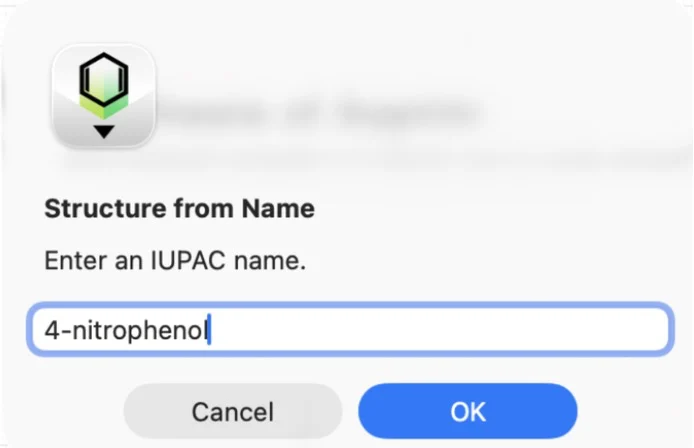
- Type the name, for example
4-nitrophenol,2-methylpropan-1-olor(S)-2-aminopropanoic acid. Common retained names such as benzoic acid, phenol, aniline, pyridine and furan work too. - Click OK. The structure is drawn, with a wedge for any (R)/(S) centre.
Name a structure
- Draw the structure.
- Choose . The IUPAC name is added as a text label under the first molecule.
- To name just part of a drawing, or one molecule among several, select it, right-click it and choose Generate Name for Selection.
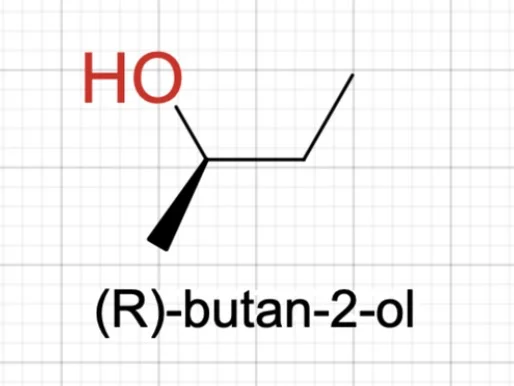
Some examples of what you get:
CC(C)CO 2-methylpropan-1-ol
CC(=O)OCC ethyl ethanoate
CC(=O)Cl ethanoyl chloride
CCOCC 1-ethoxyethane
OC(=O)c1ccccc1O 2-hydroxybenzoic acid
CC[C@@H](C)O (R)-butan-2-ol
On Windows, shows the name of
the first molecule as you draw, with a Copy button. When no name can be
generated (for example for complex fused polycycles) the computer beeps;
use the InChIKey to look the
compound up instead.
Try it yourself. ChemPencil runs on macOS 12 and later and on Windows 10 and 11.