
How to put chemical structures into Word, PowerPoint, Pages and Keynote
Tutorial · macOS and Windows
Drawings are only useful once they are in your report, slides or manuscript. ChemPencil puts several formats on the clipboard at once, so a paste gives each program the best one it understands.
Copy and paste
- Select what you want, or select nothing to copy everything (on Windows).
- Copy with ⌘C (Mac) or Ctrl+C (Windows).
- Paste into your document with ⌘V / Ctrl+V.
- On Mac the clipboard holds vector PDF, PNG and TIFF (300 dpi) and ChemPencil's own format: Keynote, Pages and Mail get sharp vector graphics, and pasting back into ChemPencil gives an editable structure.
- On Windows it holds a 300 dpi PNG, SVG, CDXML and ChemPencil's own format: Word and PowerPoint get a crisp picture, ChemDraw gets an editable structure.
Export a file
For journals, posters and the web, use :
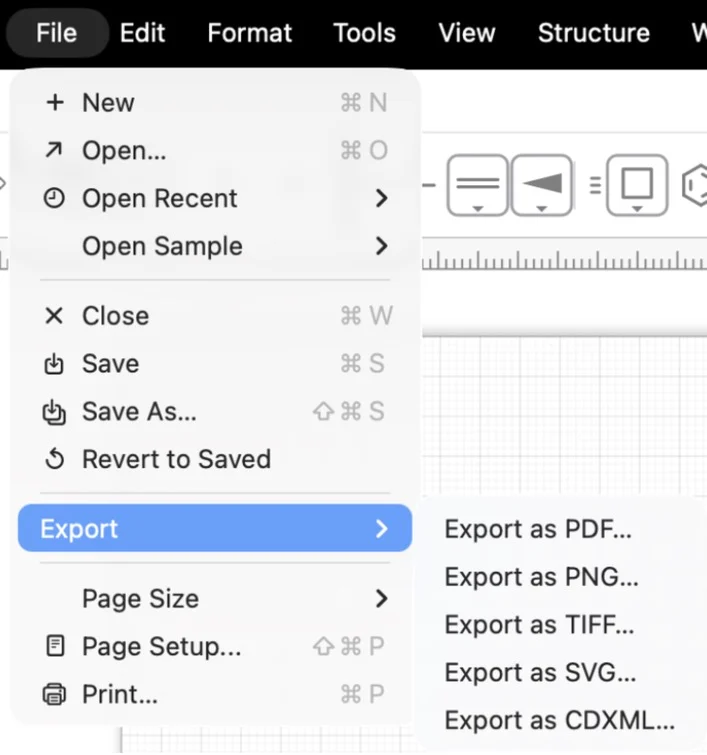
- PDF: vector, for publications. Scales to any size without blurring.
- SVG: vector, for the web or further editing in Illustrator or Inkscape.
- PNG and TIFF: pictures on a white background. On Mac choose 72, 150, 300 or 600 dpi in the save panel; Windows uses 300 dpi.
- CDXML: for colleagues using ChemDraw.
Make it look consistent
Journals often ask for a set bond length and line width (the ACS 1996 style, for example). Set them once in Settings / Preferences: bond length (12–60 pt), line width, double-bond spacing and label size apply to every open document. (Mac) or (Windows) switches CPK colours for atom labels on or off.
Try it yourself. ChemPencil runs on macOS 12 and later and on Windows 10 and 11.